


1. HSJ-WebSite

            HSJ-Official
          2. Language

            簡體中文 English
          3. Sucetong KS series products, the problem of "simulated keyboard output, can't output" is solved

            • 2022-10-11
            • Author:HSJ-Sucetong
            • What should I do if the KS series of HSJ-Sucetong products appear ""The analog keyboard output cannot be output"? This article will introduce you how to solve this kind of problem. It is generally a common problem encountered by most users in the process of using the product when simulating the keyboard output. It can be solved by simply setting a few options of the Windows system.

            1. View the output method information and restore the input method information (excluding the input method being modified and causing the output to fail)


            2. Operation A. Select the input method with the mouse, click the right mouse button, and then click Settings, as shown in the figure below
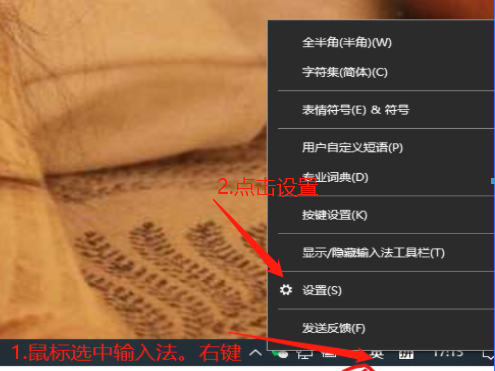

            image.png


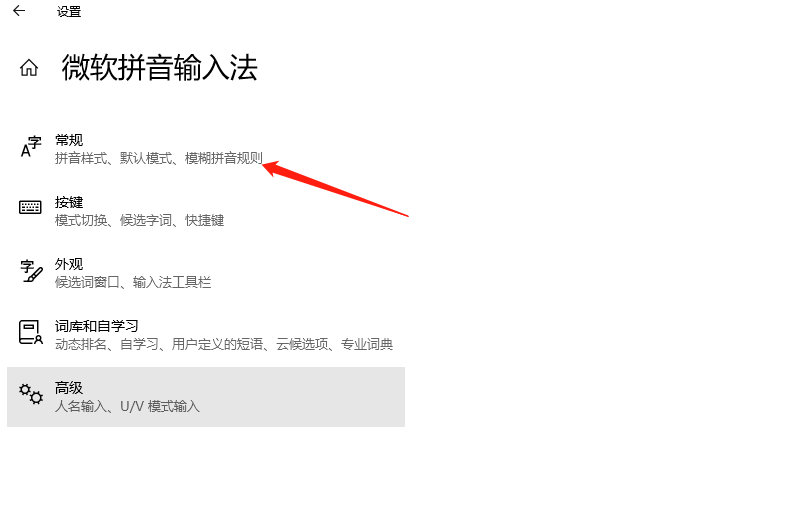
            3. Operation B, enter settings, click General as shown below


            4. Operation C, enter the general slide down, click restore, and enable (using the previous version of the Microsoft Pinyin input method) as shown below
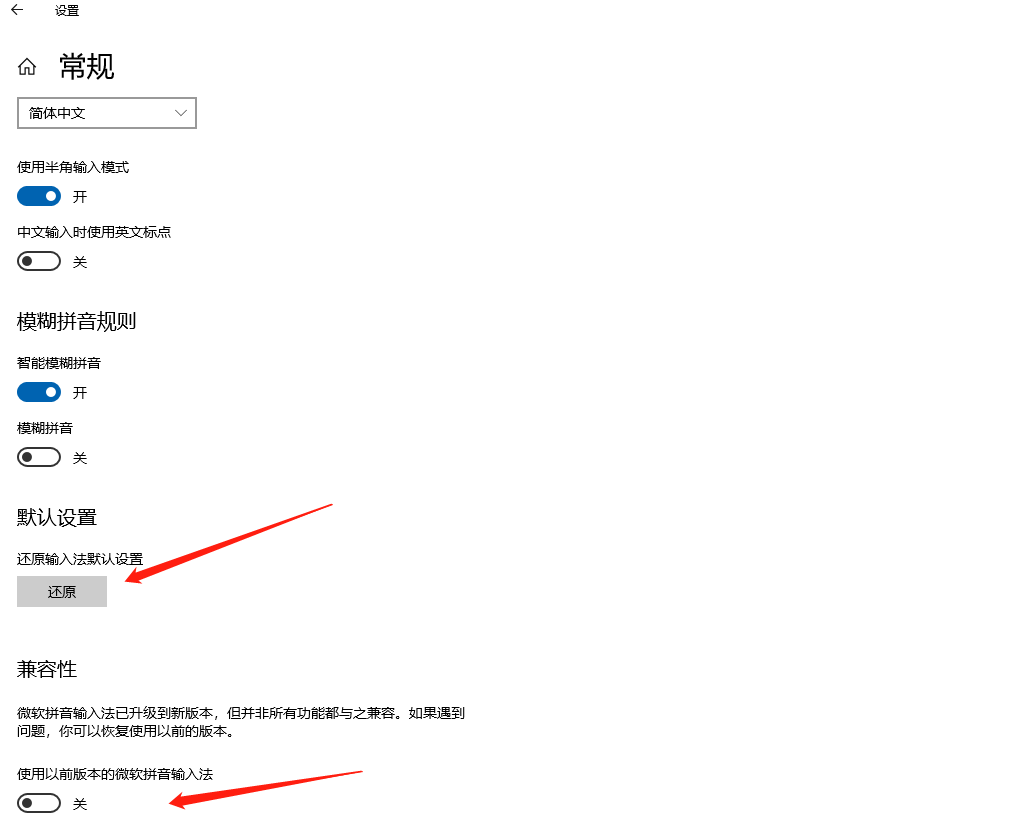

            image.png


            5. After the setting is completed, enter the software to start the test


            6. Note: When turning on the soft armor for focus output, please switch the input method to English


            Previous:Sucetong product KS series "mouse beating, serial port is occupied" problem solution

            Next page:Sucetong tells you two ways to completely turn off automatic Windows 10 system updates

            Related Information

            Sucetong · Keywords